Smart Ring Frequently Asked Questions (FAQ)
Q. After downloading the APP, the ring Bluetooth information cannot be found?
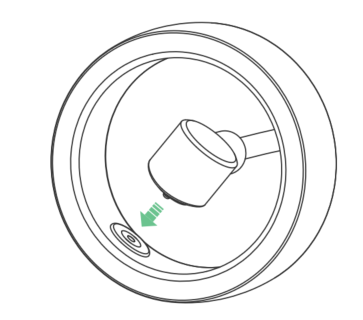
A. The ring is turned off by default and needs to be charged and activated for the first use. When charging is activated, the charging indicator on the ring will turn red, indicating that the ring is turned on for the first time. Please charge the device for more than one hour until the charging indicator on the phone turns green.
Q. Why does the ring display "disconnected" every time you open the APP?
A. In order to save system resources, some mobile phone systems will close apps in the background that users have not set up background protection. Therefore, please refer to the background protection guide and enable the APP background protection function. It still displays "Disconnected". The ring may be turned off due to lack of power. Please charge it before reconnecting it.
Q. Why can't the ring charge?
A. There may be too much dust in the charging port, making charging impossible. You can try to clean the charging port first.
1. Use tools to clean
a. Cotton swab: Cotton swab is a very convenient cleaning tool that can remove dust from the charging port. Just gently rotate the cotton swab to remove surface dust.
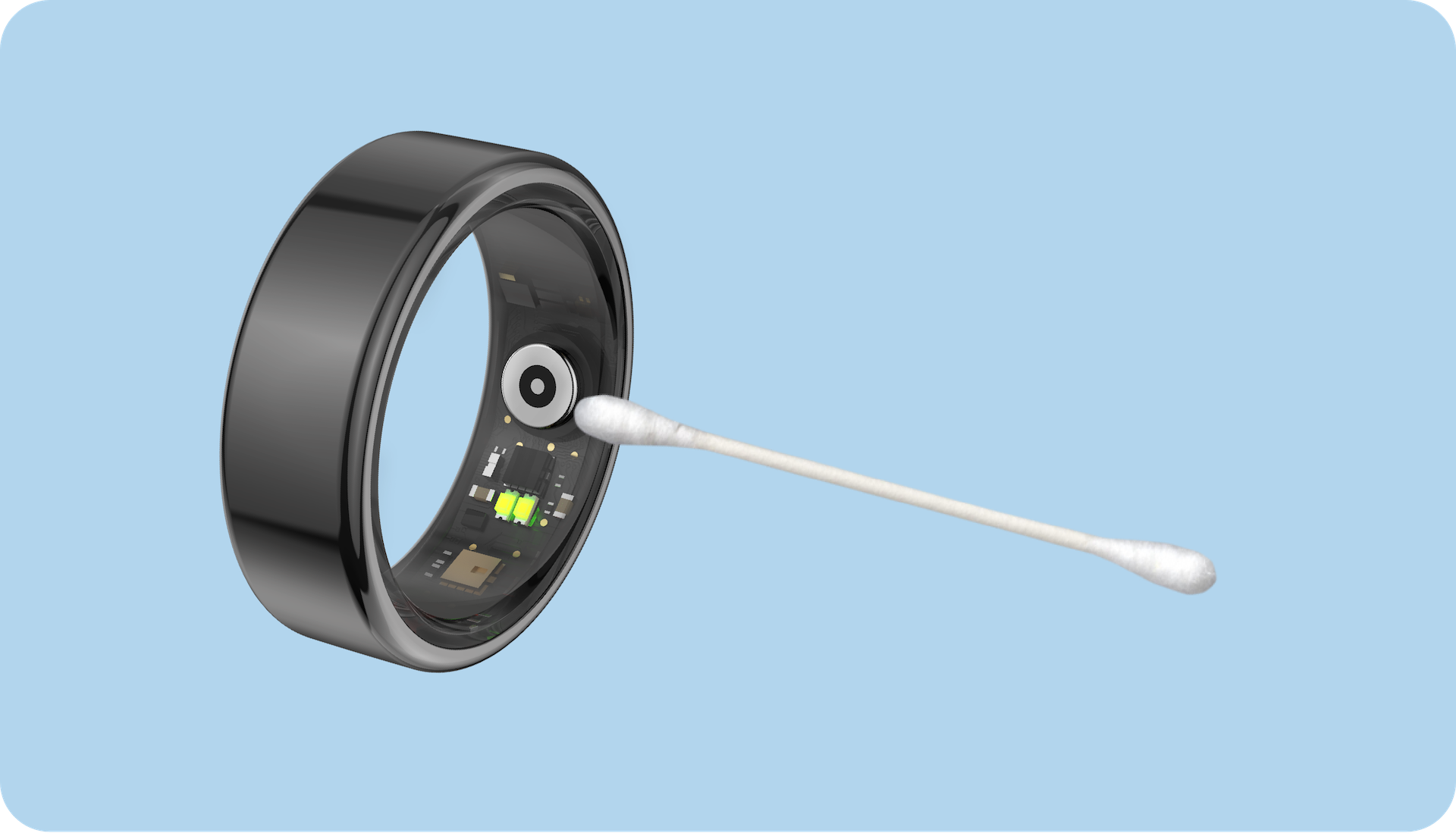
b. Toothpick: If there is a lot of dust around the charging port, you can use a toothpick to clean it. But please be careful not to use toothpicks that are too thick to avoid damaging the charging port.
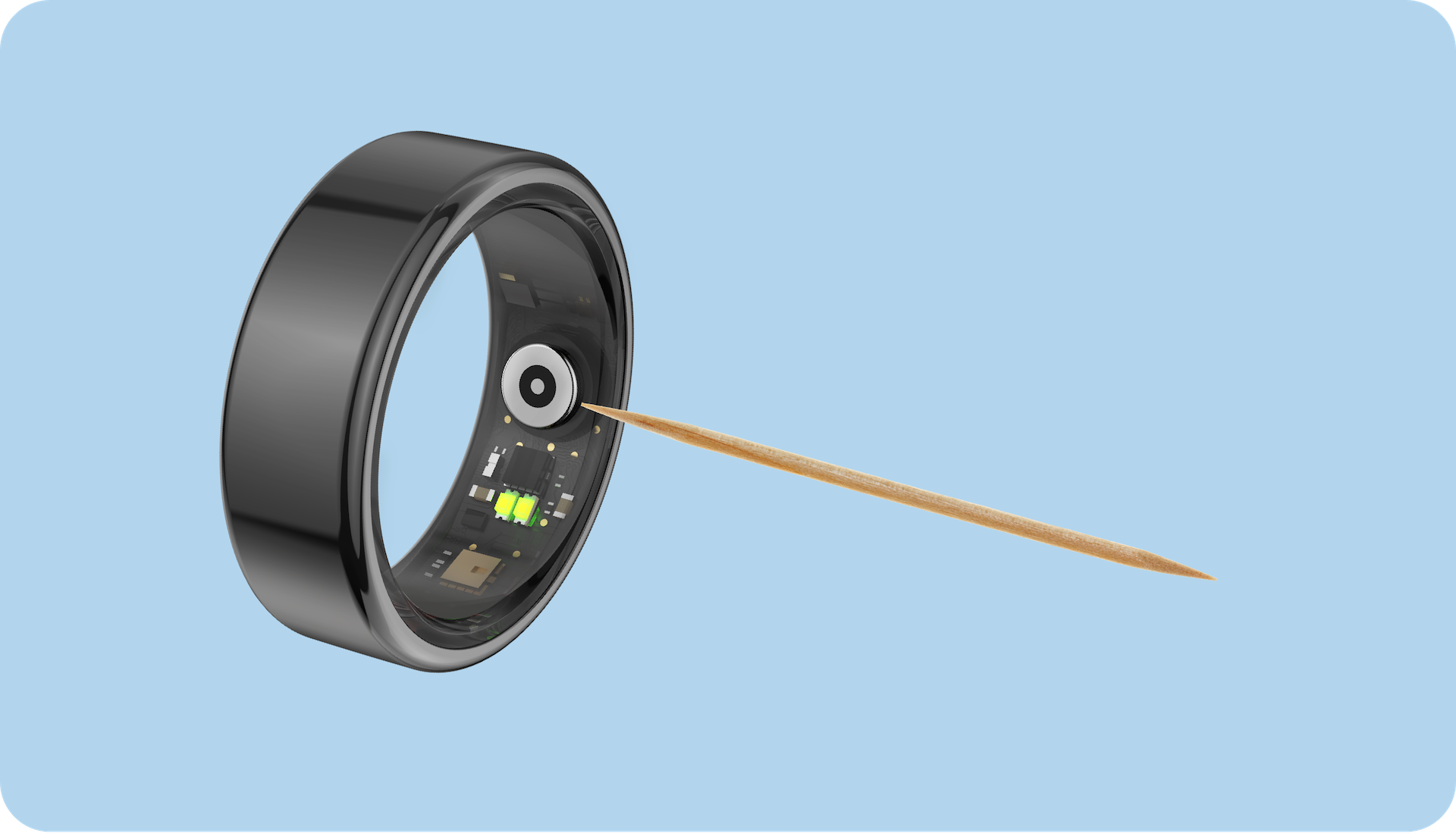
2. Cleaner If the dust on the charging port is stubborn, you can use some detergent to clean it. But be sure to choose a mild cleaner to avoid damaging the ring. At the same time, when using cleaning agents, pay attention to the amount and method to avoid corrosion or damage to the charging port.
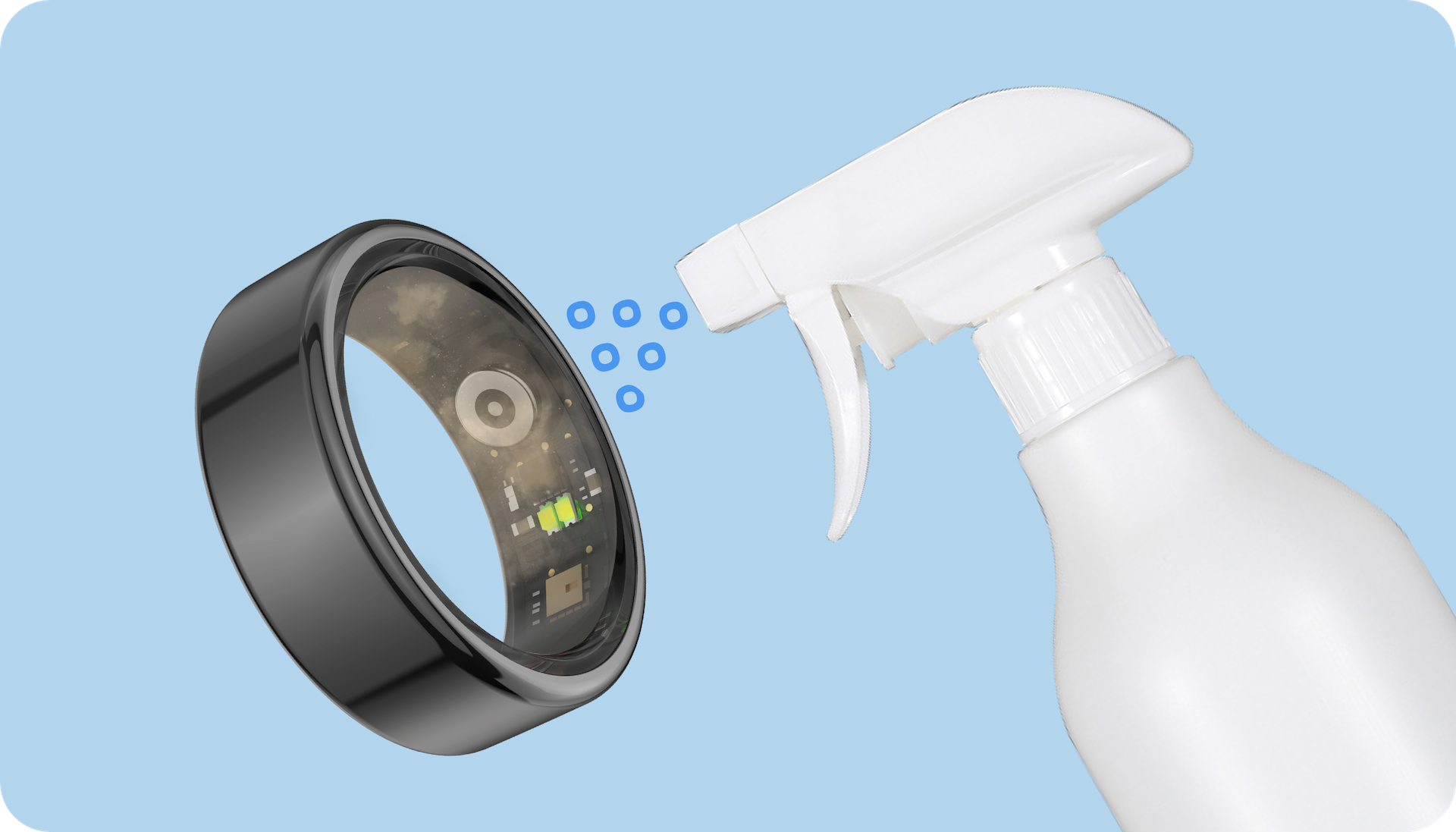
3. Precautions: Pay attention to the method and intensity when cleaning. Do not use too rough methods to avoid damaging the charging port. If the charging port is damaged or cannot be cleaned, it is recommended to ask for help from customer service.
Q. How do I charge the ring?
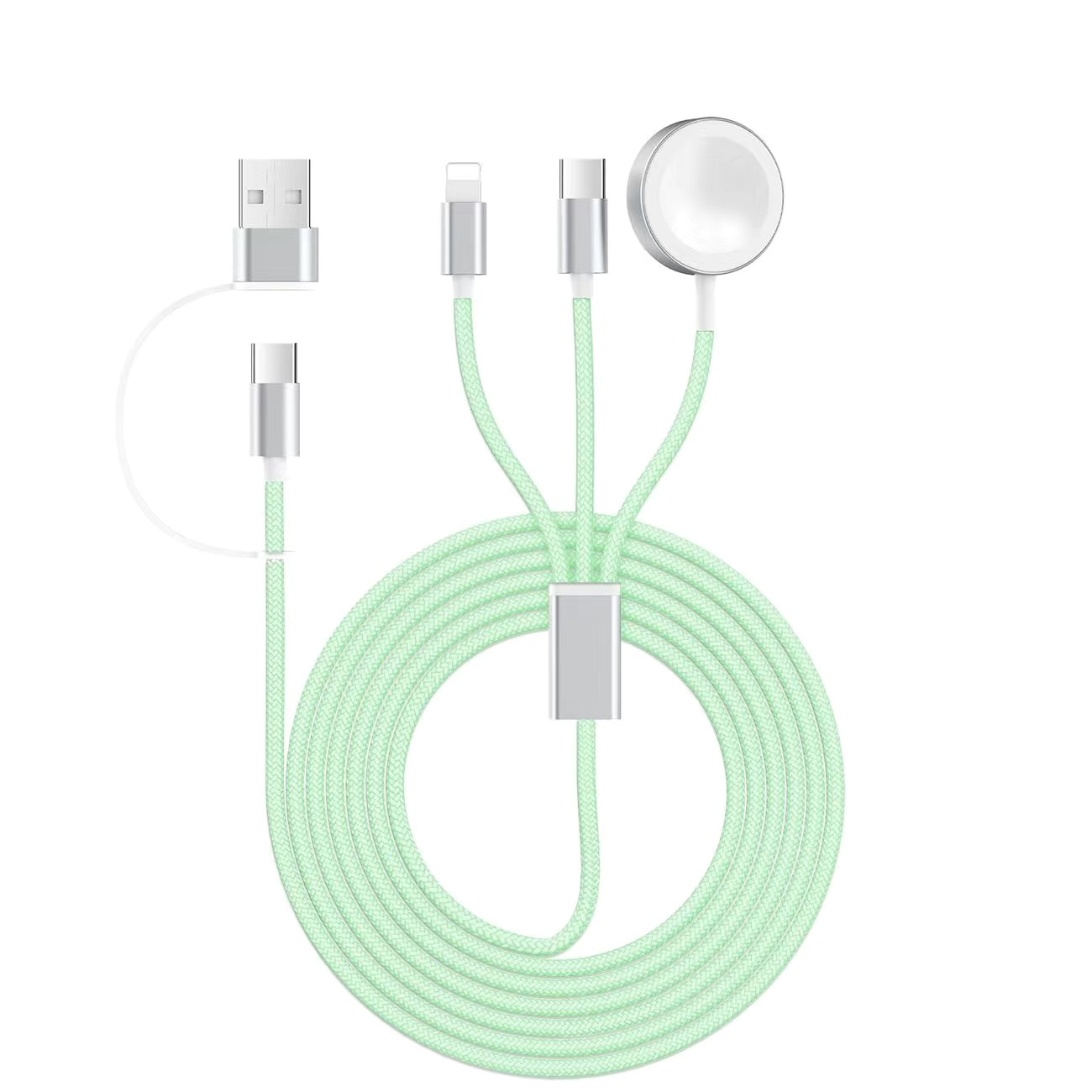
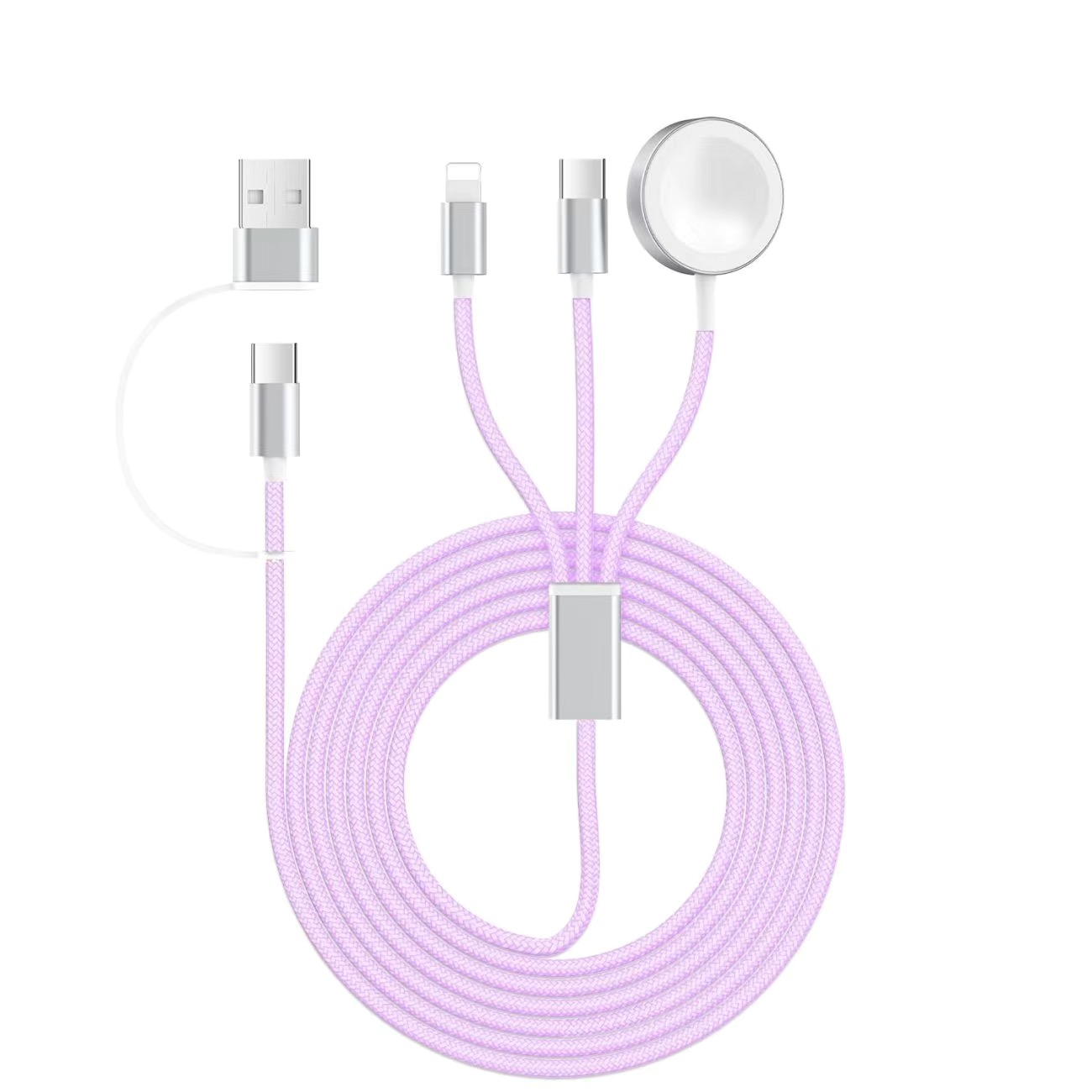
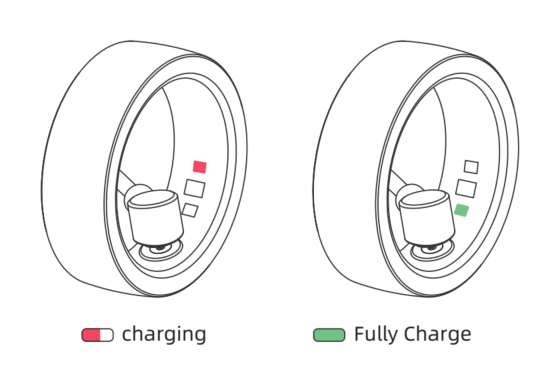
A. Use a compatible mobile phone charger or computer USB interface to connect the charging cable or charging compartment and charge the ring. When the ring is charging, the red light of the ring indicates that it is charging and the green light indicates that the battery is fully charged.
Q. Sleep data cannot be synchronized or is inaccurate?
A. (1) If you enter the sleep state without wearing the ring, the APP will not generate sleep data after the ring is synchronized with the APP.
(2) The ring records sleep data at night and cannot record sleep during the day.
(3) The user wears the ring, starts recording (deep sleep, light sleep, awake state, etc.) within 30 minutes after lying down, and stops sleep monitoring after getting up.
(4) All sleep records will be displayed on the sleep interface of the APP after the ring and APP are synchronized.
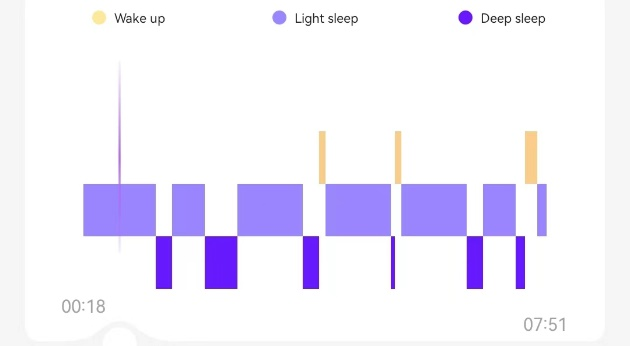
Q. There is a discrepancy between the sleep log and wake-up times in the sleep log and personal feelings.
A. The sleep log and wake-up time are characterized by changes in the physiological characteristics of the human body when falling asleep and waking up. The sleep state is detected by the sensor inside the ring, and there may be a certain temporal deviation from your actual feelings.
Q. There will be a wake-up state in the middle of the sleep data.
A. The human sleep process consists of different sleep states such as light sleep, deep sleep, and wakefulness. In the wake-up state, most people's human body awareness is still very vague, and users may not be aware of their wake-up state, which will lead to personal feelings and ring recognition and record any deviations between the data.
Q. Will lying down and playing with the phone be recognized as sleeping?
A. Sleep detection uses sensors on the ring to detect human activity characteristics. If the user stays in the same posture for a long time, it can be recognized as falling asleep.
Q. Why doesn't the ring start counting steps when I start walking?
A. In order to reduce the user's daily activities, such as typing on the keyboard, playing poker and other more common hand activities, the ring is set to an initial value of 10. When the number of steps reaches 10 consecutive steps, the ring officially starts counting steps, and at the same time, the real-time step count in the main interface of the APP changes.
Q. Under what circumstances will data be automatically connected and synchronized?
A. After the user completes the first ring binding and opens the APP again, the ring will automatically connect to the APP and start synchronizing data. The user does not need to perform any operations at this time. If the connection fails, please charge it and check again whether it can connect to the APP and synchronize data.
Q. How do I connect and synchronize data manually?
A. Click the "Sync" button in the upper right corner of the app and the current data of the ring will be automatically synchronized.
Q. Can I wear a ring when taking a shower?
A. Yes, the ring is 5ATM waterproof, but try not to use it in water in complex environments (such as hot springs, seawater). If the ring comes into contact with seawater, please rinse it with fresh water as soon as possible to avoid the salt in the seawater causing corrosion of the metal material on the ring, resulting in poor contact with the charging position of the ring.
Q. What is the ambient temperature of the ring?
A. The normal operating ambient temperature of the ring is -10~+45℃ (14~113℉). If it is stored or worn outside the normal operating temperature range for a long time, the service life and reliability of the ring will be affected and the normal use of the ring may be affected.
Q. Cannot connect after the latest firmware upgrade?
A. After updating the firmware, the APP will synchronize the device's historical data to the server, which takes about 3-5 seconds. You need to wait until the data synchronization is completed before you can connect to the ring.
Q. What is the correct direction to wear the ring?
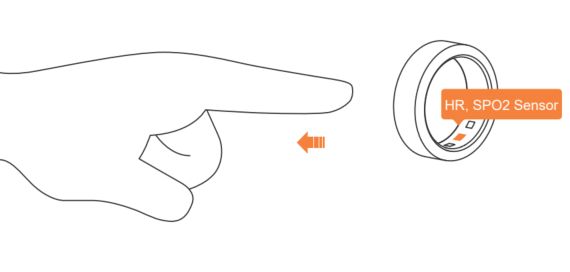
A. For optimal performance and accuracy, it is recommended to wear the ring on the index finger of your non-dominant hand. When wearing it on the middle or ring finger, the heart rate sensor should be placed on the palm side and the ring should fit snugly against the skin and sit comfortably at the base of the finger. When wearing, try to keep the inside of the ring dry to prevent sweat and other liquids from penetrating the skin of the finger wearing area for a long time and causing skin damage.
Q. Will historical data be lost if the ring is lost or after uninstalling and reinstalling the APP?
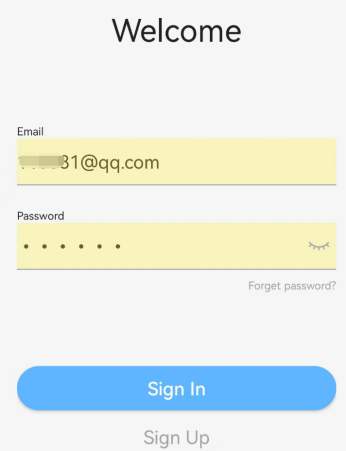
A. If you uninstall and reinstall the APP, the data stored locally in the APP will be lost. After logging in, the ring data will be synchronized and stored on the cloud server. Losing the ring or uninstalling and re-downloading the APP will not affect the cloud server data. You can log in to the same account again to re-download it and view the history data stored in the cloud.
Q. How to use the camera function?
A. Keep the Bluetooth connection between the ring and your phone; shake the hand wearing the ring to complete the photo. PS: Follow the APP instructions to enter the system camera.
Q. Why doesn't the app display the Health Score?
A. The Health Score is derived from a comprehensive analysis of the sleep, exercise, stress, heart rate and blood oxygen data collected by the ring. Among these, sleep data is the most basic data. If the ring is worn for too short a time or there is no sleep data, the Health Score cannot be generated. It is recommended that you continue to wear the ring to unlock your Health Score.
Q. What is your activity score? Is your activity score below, in the middle range or above the average for your age group?
A. The Activity Score ranges from 1 to 100 and is a comprehensive indicator of your activity today. The score varies by age group.
85-100 points: Excellent
75-84 points: Good
60-74 points: Moderate activity
0-59 points: Low activity
Q. Activity score
A. Total steps and daily steps
Daily steps are an indicator of your daily physical activity. The optimal number of daily steps depends on your age, body type, fitness level and willingness to perform. It is recommended to reach at least 8000 steps daily, but if you exercise, you can reduce the step count a little. A higher step count is not always better, as too many steps can lead to possible strain on the knees and ankles. Therefore, it is recommended to keep the step count between 8000 and 15000.
Q. Total calories burned
A. Total calories refers to the total amount of energy you burn in a day, including the calories you burn throughout the day, whether during activity or at rest. Tracking your total burn rate and comparing it to your historical data can help you adjust your calorie intake and maintain a healthy weight. Although exercise increases your daily calorie burn, most of your total burn comes from the calories you burn at rest, also known as your basal metabolic rate (BMR). The device starts calculating your total burn rate at midnight and estimates your BMR. This value continues to be calculated throughout the day, and any calories you burn from your activities that day are added to your total.
Q. Sleep efficiency
A. Sleep efficiency is the ratio based on the rating of actual sleep time compared to total time in bed (the time spent in bed trying to sleep). It is usually expressed as a percentage. If a person's sleep score is high (for example, 80–100 points), it means they score well in terms of falling asleep, sleep depth, sleep duration, and awake times. This means that the person falls asleep quickly, achieves sufficient sleep depth, has enough sleep time and feels good after waking up. These factors taken together show that the proportion of actual sleep time to total bed time is high, indicating high sleep efficiency. For adults, a sleep efficiency of over 85% is considered a sign of undisturbed and continuous sleep.
Q. Sleep quality
A. The sleep score corresponds to sleep quality and is classified as follows:
Below 60 points (poor): This could indicate that your sleep quality is poor. It is recommended to establish a regular sleep rhythm.
60-75 points (average): Sleep quality could be at an average level, but there is still room for improvement.
75-90 points (good): Keep it up! This will help maintain good sleep quality.
Over 90 points (excellent): Please maintain this regular lifestyle. This is the key to maintaining excellent sleep quality.
Q. Heart rate during sleep
A. The heart rate during sleep goes through a series of regular changes that are closely related to the different phases of sleep and the body's physiological regulatory mechanisms:
When moving from the waking state to the sleeping state, the heart rate usually slows down gradually.
After entering light sleep, the heart rate remains slightly lower than when awake.
In deep sleep, the phase of intense physical and mental recovery, the heart rate continues to decrease.
In REM (Rapid Eye Movement) sleep, the change in heart rate is more complex. In general, the heart rate may increase compared to deep sleep.
When you wake up in the morning, the heart rate begins to accelerate again.
It is important to note that the normal range of heart rate during sleep can vary individually and depends on various factors such as age, health status, physical fitness and medication.
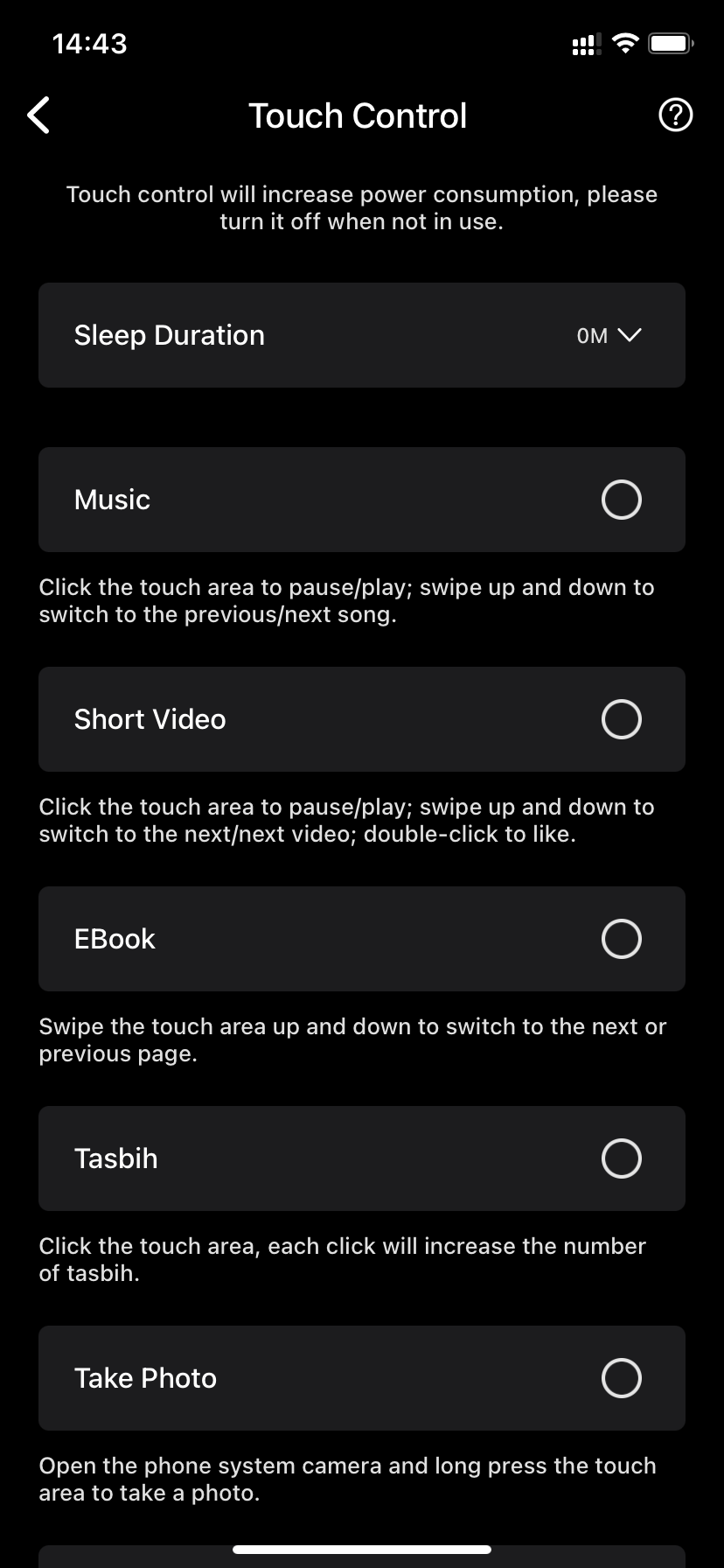
Q. Touch Control and Gesture Control
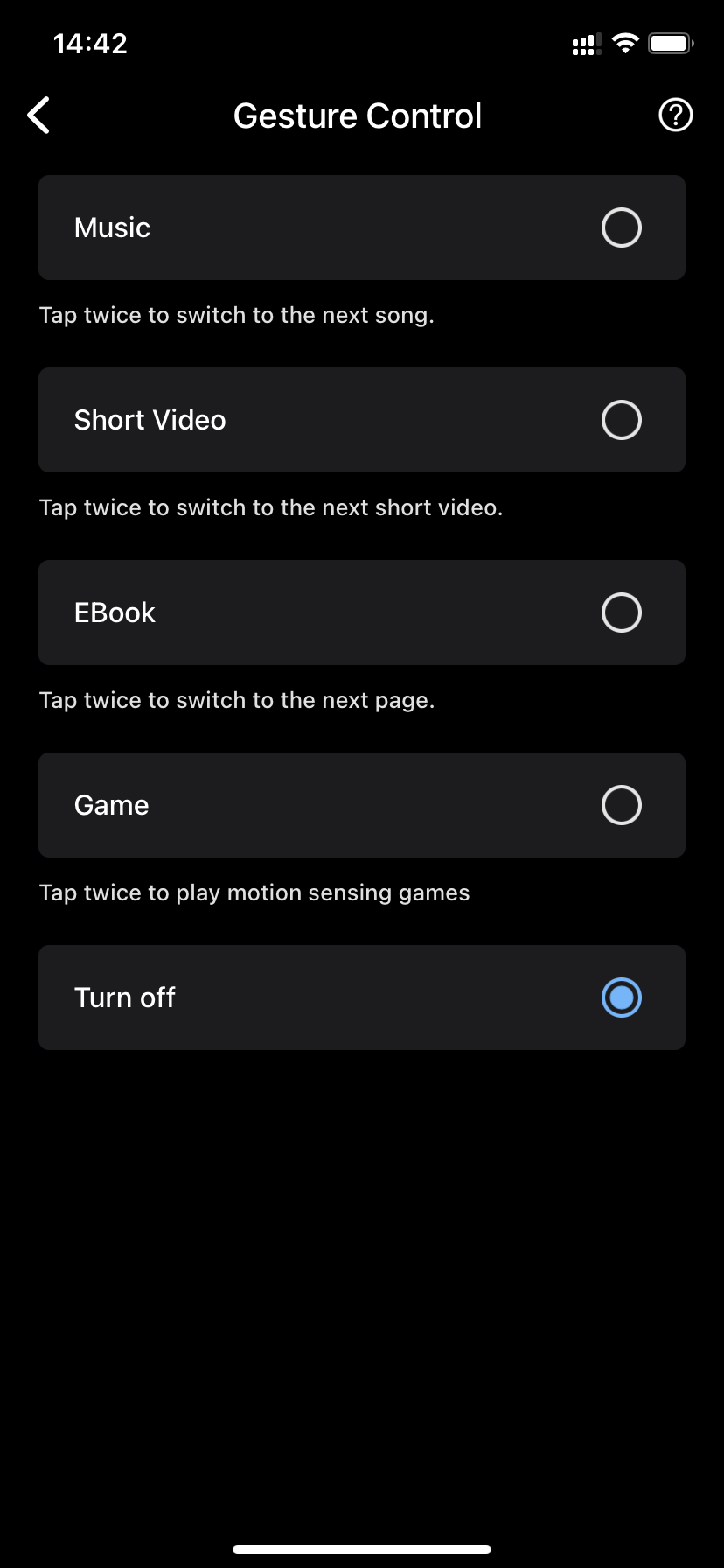
A. Enable Touch Control or Gesture Control
(Disable if not needed, otherwise it will increase power consumption.)
For Android devices, simply select the desired setting.
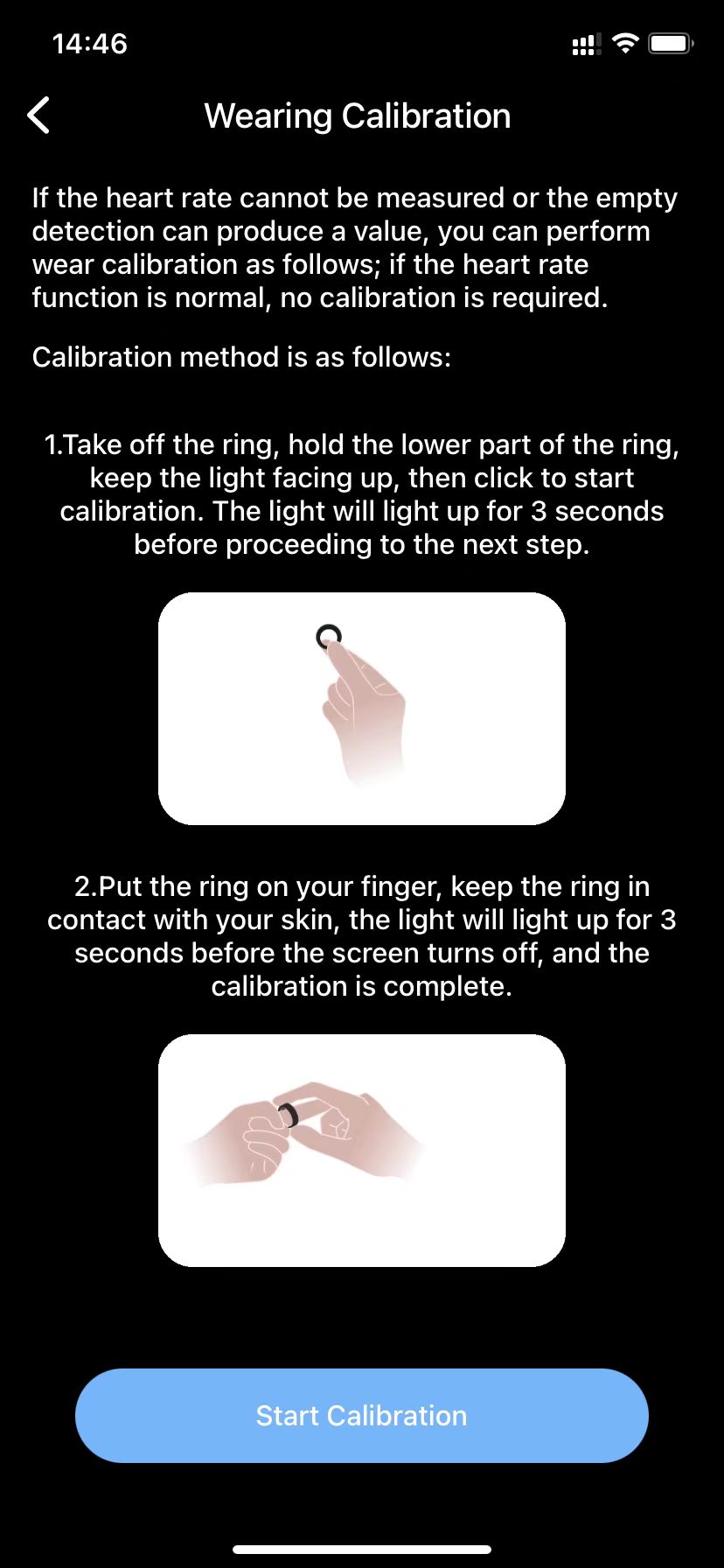
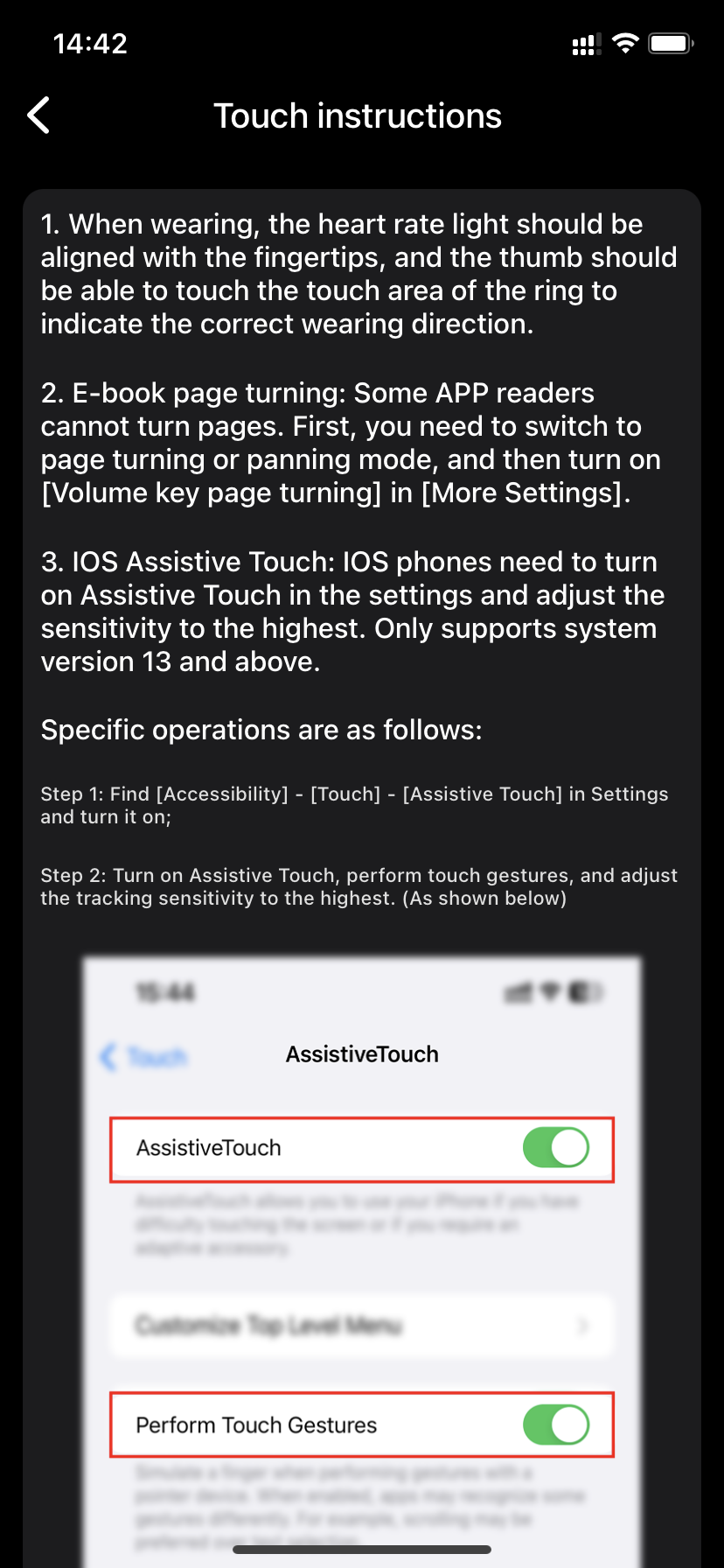
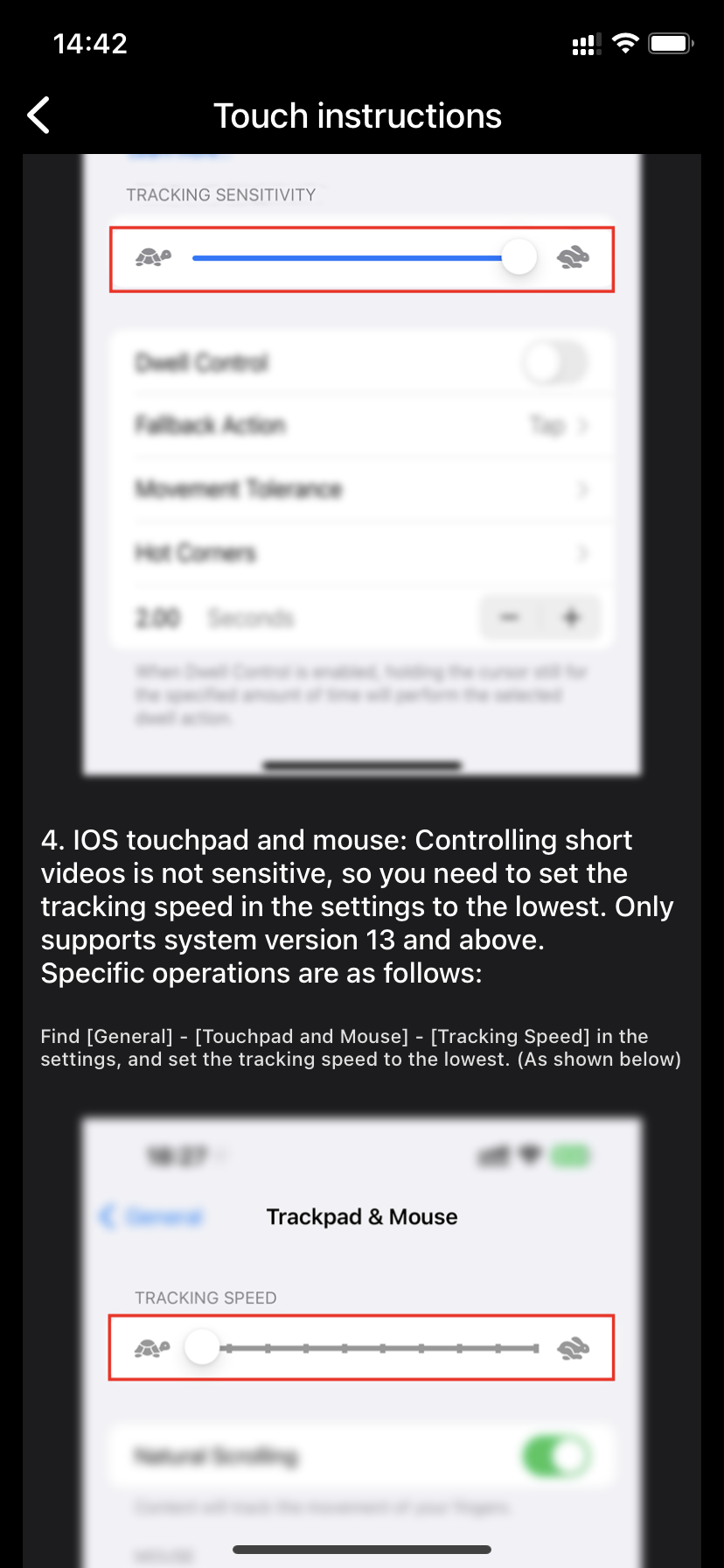
For iOS devices, in addition to selecting the corresponding feature settings, you must perform the following steps:
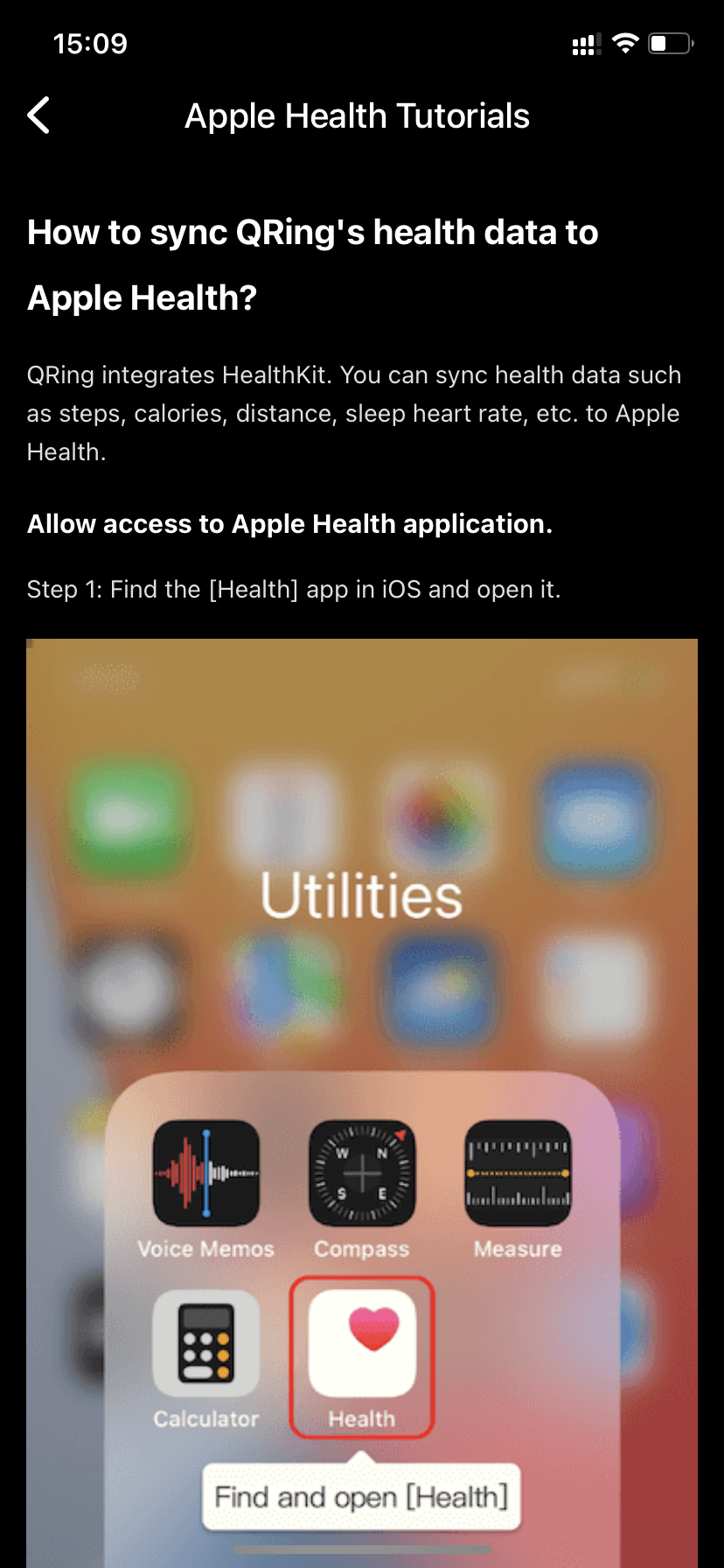
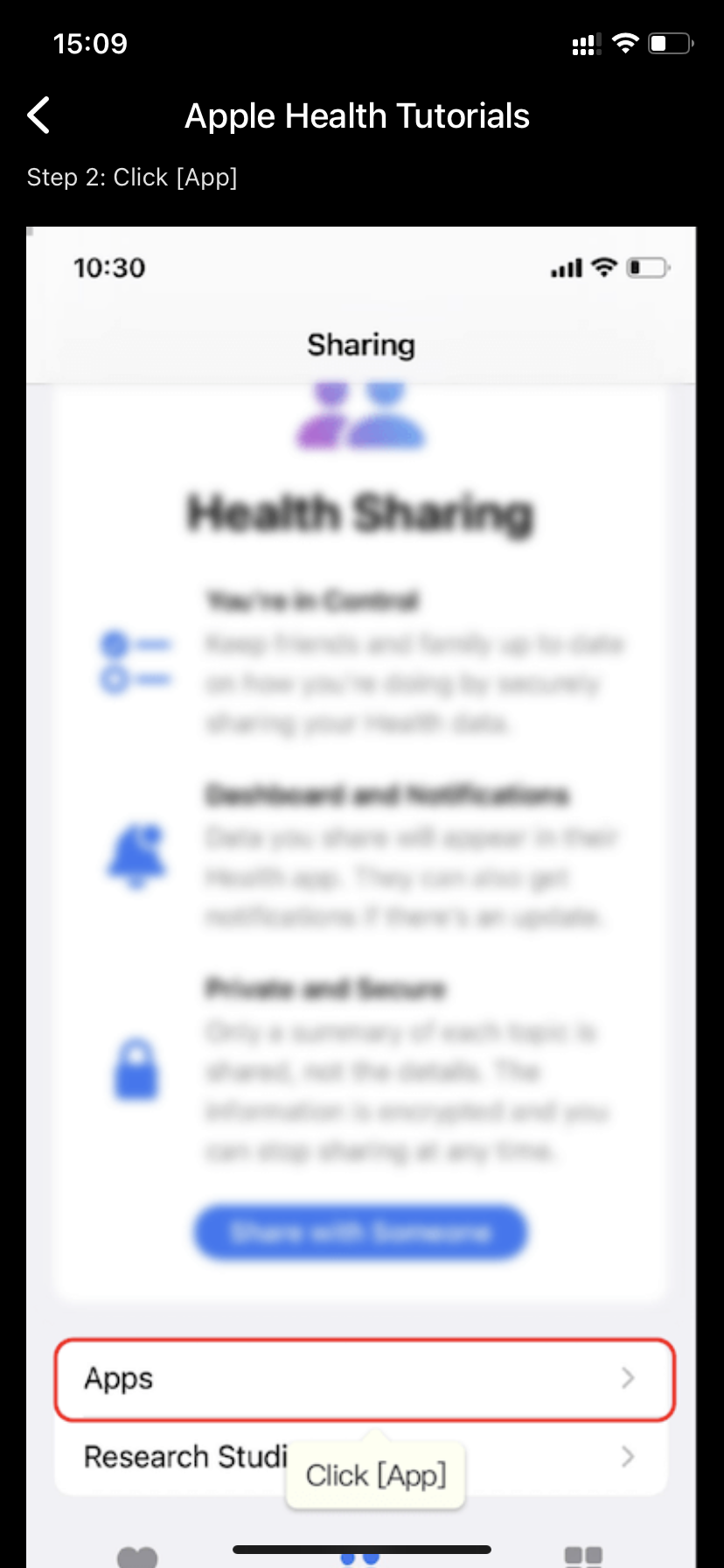
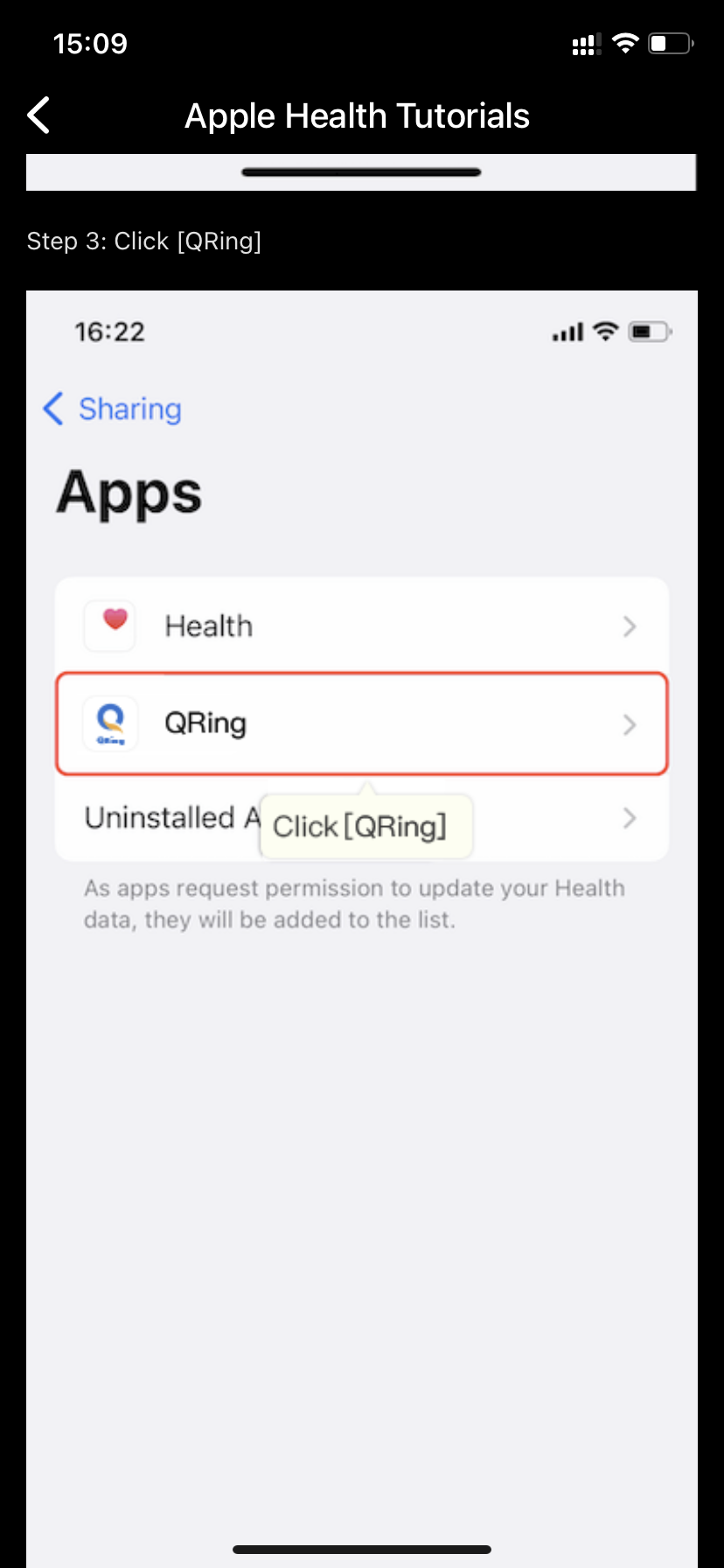
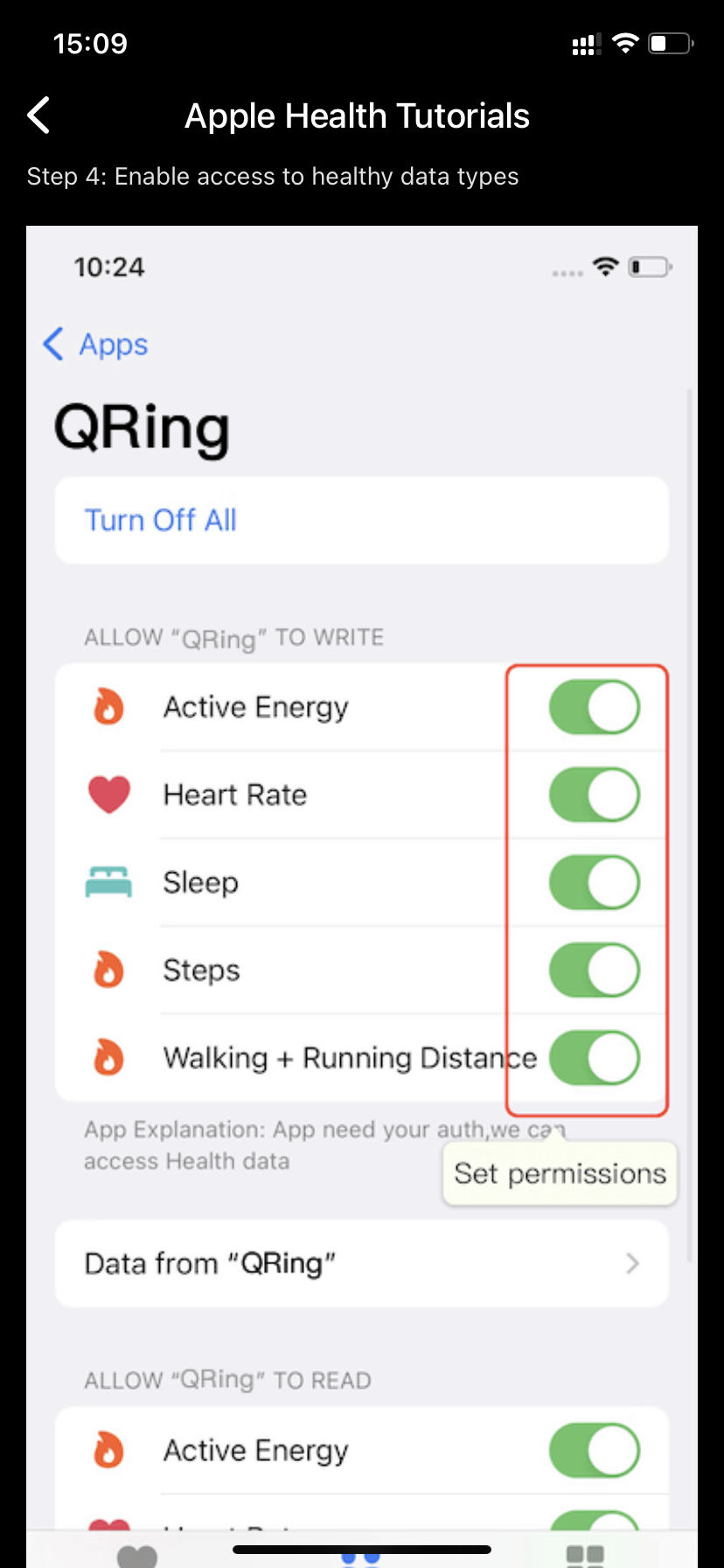
Q. How to sync health data from Smart Ring to Apple Health?
A. You can follow the steps below:
The smart ring is not a medical device and is not intended for the diagnosis, treatment, or prevention of any disease. Data is for reference only.
Measurement results may vary due to device wearing method, individual differences, and environmental influences. Please rely on your personal experience when interpreting results.
Battery life may vary due to usage frequency, sensor activity, ambient temperature, and other factors. Stated battery life is based on laboratory testing.